Dataverse integrations: make retries safe with alternate keys and upsert
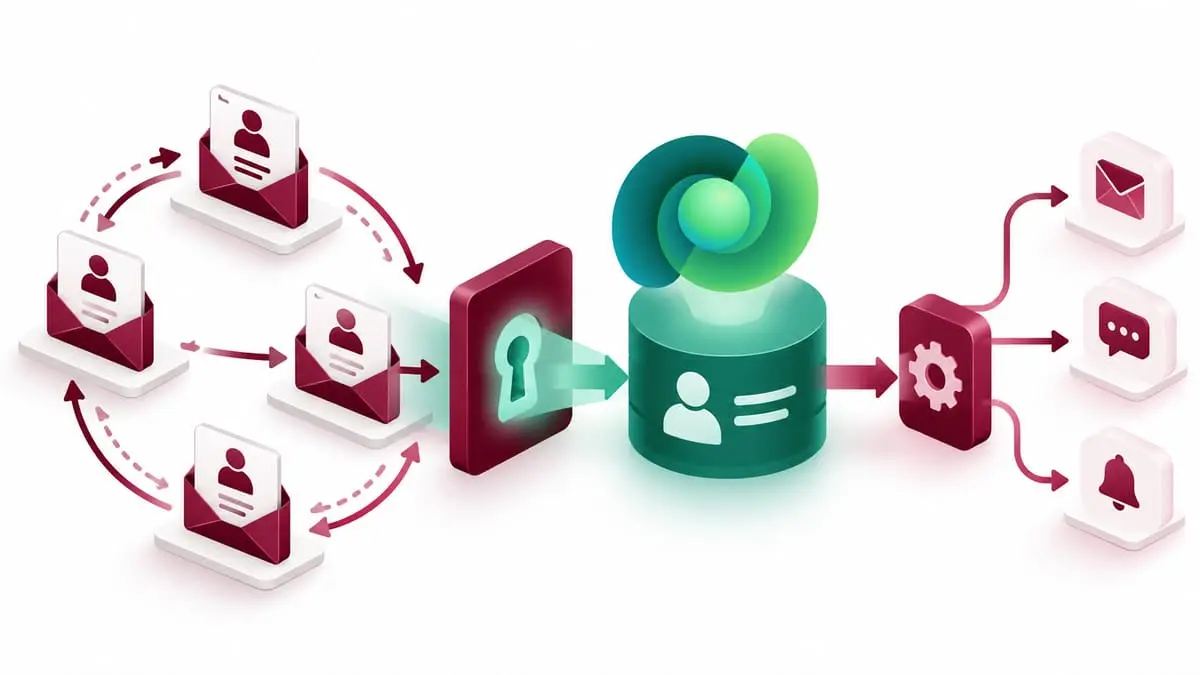
An integration sends a customer to Dataverse, the request times out, and the sender retries. Did the first request fail, or did it succeed before the response was lost? If the retry creates another customer, the problem is already in the data. I would settle record identity before choosing the retry policy.
Give every retry the same identity
For a hypothetical ERP integration, customer ERP-1042 should always identify the same account. A customer name is a poor substitute: names change and different customers can share one. Use an identifier whose ownership, uniqueness and stability the source team can explain.
Dataverse alternate keys let you identify a row through one or more column values instead of its GUID. If two source systems both issue customer 1042, model the source system as part of the identity rather than assuming those customers are the same.
Inspect existing duplicates before creating the key, and wait until its status is Active. Reject missing identifiers in the integration: Microsoft notes that null key values do not enforce uniqueness. Check identifier characters against the documented Web API restrictions before committing to the design.
Use upsert deliberately
For standard tables, upsert creates a row when the key is absent and updates the matching row when it exists. It avoids the separate retrieve, branch and create-or-update sequence. That also removes the race in which two workers both query an empty result before trying to create the same customer.
Mark Nanneman's Power Automate walkthrough demonstrates addressing an alternate key through an HTTP request. The useful design lesson is to let the platform resolve identity rather than reproduce matching logic across several flow actions. Check the authentication and connector options available in your own environment.
For this example, assume an active alternate key on accountnumber, a single authoritative ERP and no conflicting account numbers. This is an explicit schema prerequisite; the standard account number column is not automatically an alternate key.
PATCH /api/data/v9.2/accounts(accountnumber='ERP-1042') HTTP/1.1
Accept: application/json
Content-Type: application/json
OData-Version: 4.0
OData-MaxVersion: 4.0

{
  "name": "Example Customer"
}
Send the relative path to your Dataverse organisation using an authenticated client with appropriate account Create and Write privileges, and Read for validation. This example writes data. Try it in a sandbox with synthetic records. The key stays in the URL; Microsoft's guidance advises leaving it out of the body.
There is intentionally no If-Match: * header. Adding it makes the request update-only and returns 404 when no matching row exists. Normal upsert returns 204 for both creation and update, so that response alone does not identify which occurred.
A single row does not mean a single side effect
Replaying the request can still update the same row and execute associated business logic. A flow or plug-in might send another email, start another approval or call an external service. Microsoft warns that submitting unchanged properties can still trigger update-related behaviour.
I would give consequential downstream actions a separate event identity and record their processing outcome. Record identity answers which customer this is; event identity answers whether this particular business action has already been handled. A customer key cannot answer both questions.
Ordering needs another decision. An older event replayed after a newer change can overwrite current data. Agree a source version or sequencing rule and enforce it at the write boundary. Upsert does not resolve competing updates simply because they address the correct row.
How to implement it
- Agree the key. Document source ownership, uniqueness scope and what happens if the source renumbers a customer. Resolve existing duplicates and wait for the Dataverse key to become Active.
- Limit the payload. Send only columns the source owns. Avoid copying an entire retrieved row into the update and accidentally overwriting locally maintained information.
- Replay the same request. In a sandbox, submit ERP-1042 twice. Verify one account exists and its GUID remains unchanged. Inspect downstream runs as well as the row count.
- Test difficult inputs. Exercise a missing key, a disallowed character, a changed name and an older event arriving late. Define rejection and reconciliation outcomes instead of endlessly retrying invalid data.
- Record acceptance evidence. Retain correlation identifiers, response status and expected versus actual outcomes. Keep credentials and unnecessary customer information out of diagnostic logs.
Mauro's insight
I would approve retries only after demonstrating what happens to both the record and its consequences. One customer row with three welcome emails is still a failed integration. The strongest test starts with an uncertain response and proves the replay does no additional business harm.
A practical next step
Choose one integration that uses a find-then-create pattern. Write down its business key, source-owned fields, ordering rule and downstream actions. Run the replay test before changing production. This walkthrough covers standard tables; review Microsoft's separate elastic-table behaviour before applying it elsewhere.
Sources
References used for this article. Links open in a new tab.