How to build a safe promotion path for Dataverse solutions with Git, pipelines and Copilot
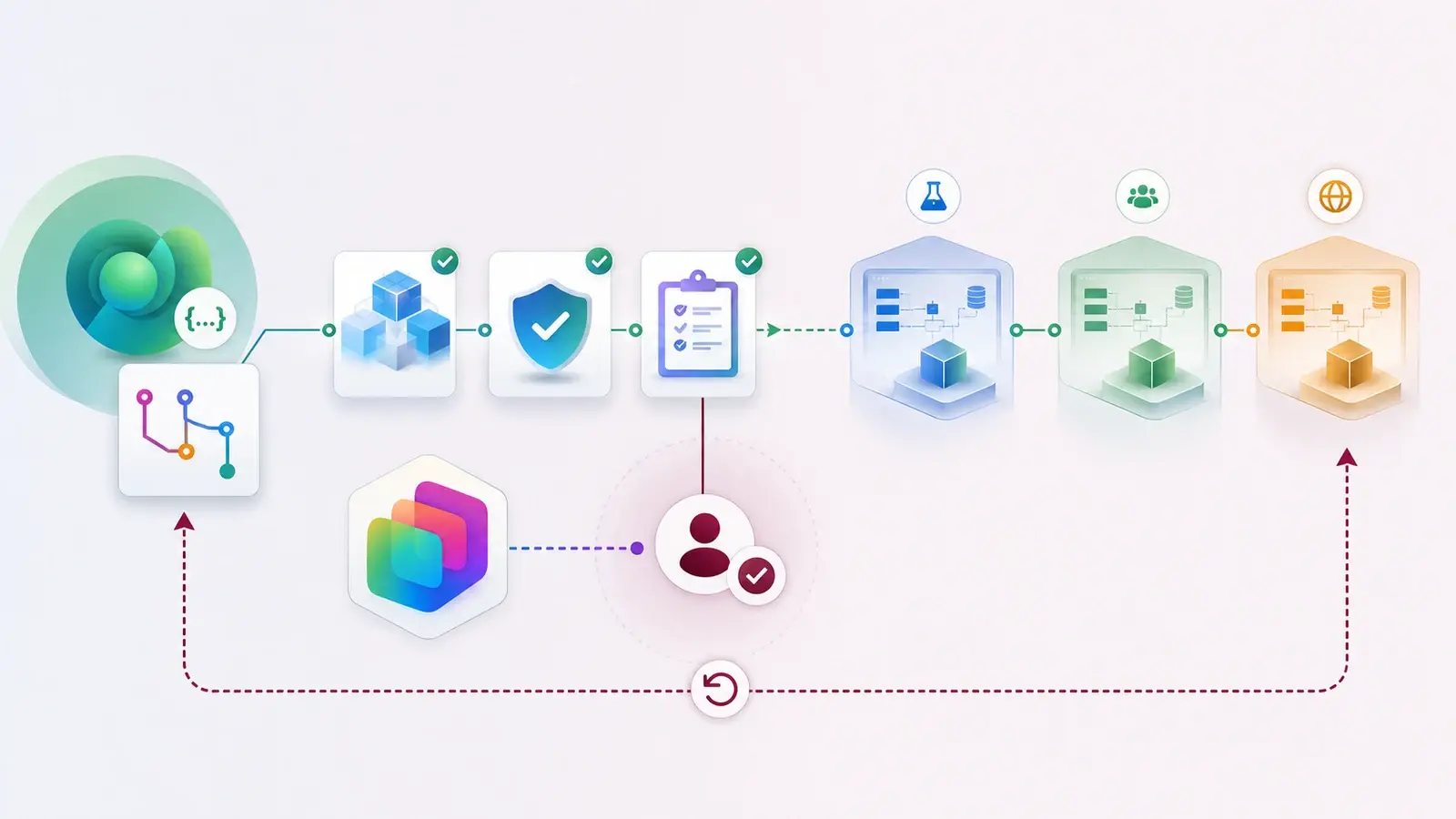
This is the hands-on companion to ALM as a delivery platform. Three tools now fit together: Dataverse Git integration for source control, Power Platform Pipelines for promotion, and Copilot for explaining and preparing the work. Here is how I wire them into one path for a single solution.
The aim is not to remove people. It is to remove the avoidable manual work and make the important decisions visible.
Pick the right first solution
Choose the smallest solution that still represents a real business capability. Automating every existing asset at once creates too many exceptions, and you can no longer tell whether a problem is the pipeline or the solution design. One clean path becomes a pattern others can copy.
The path, in seven steps
- Environments. Development, validation, production — and decide which environment hosts the pipeline. Never promote from a personal or shared sandbox.
- Solution boundary. A named solution with its own publisher, known dependencies, and environment-specific values identified before the first promotion.
- Source control. Connect Dataverse Git integration (or your agreed workflow) for solution objects and code-first assets. Agree what is generated, what is reviewed, and what must never contain secrets.
- Validation. Check structure, dependencies, connection references, environment variables and custom components. If the solution includes an agent, add a test set for its behaviour.
- Controlled pipeline. Promote to validation, review with representative data, and require an approval for production. That approval is a business and technical decision, not a click.
- Copilot with evidence. Let it summarise changes, draft release notes or explain the solution — then compare that summary with the actual source and deployment result.
- Rollback and observation. Record the previous version, define how to reverse or disable the change, and watch the first production run.
Keeping the AI part honest
If Copilot generated a component, explained a change or wrote the release notes, keep the source and record the human decision next to it. AI-generated code, metadata and notes get reviewed like anyone else's contribution.
The point of AI in ALM is not that nobody has to understand the change. It is that the team gets more time to understand the changes that matter.
Practical cautions
- Git integration and pipelines have different jobs, and each needs its own configuration, permissions and environment preparation.
- Release-plan features can change. Confirm availability in your tenant and region.
- Protect service identities and connection references, keep secrets in proper secret management, and make sure test data does not expose customers.
A good pipeline makes the safe decision easier. A bad one hides the decision behind automation.
Draw it on one page
For one Dataverse solution, sketch the repository, export or build step, checks, approval, deployment, observation and rollback point. Then pick one manual step to automate and one missing control to add. That is your first iteration, and a way to tell if things are getting more reliable.
Sources
References used for this article. Links open in a new tab.
- PuntoBello Blog — Building a Delivery Platform for the Microsoft Power Platform: Lessons from My Master's Thesis
- Microsoft Learn — Overview of Dataverse Git integration
- Microsoft — Build Power Pages Sites with AI through Agentic Coding tools, now Generally Available
- Microsoft — Agentic Administration: Dataverse Admin Skills now available in Public Preview